On a clean ASL3 image, using WINSCP as is problematic due to the inability to elevate permissions using sudo su. PuTTY and KiTTY have the elevation option in the setup for those apps. The only way to make it work is to log in as root. Here’s a screen shot of my setup in WINSCP:
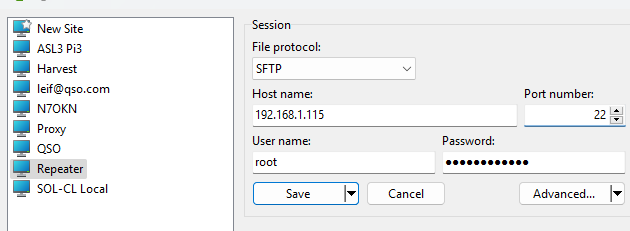
There are no other advanced menu requirements.
Now on your node, edit /etc/ssh/sshd_config.

Change only one line:
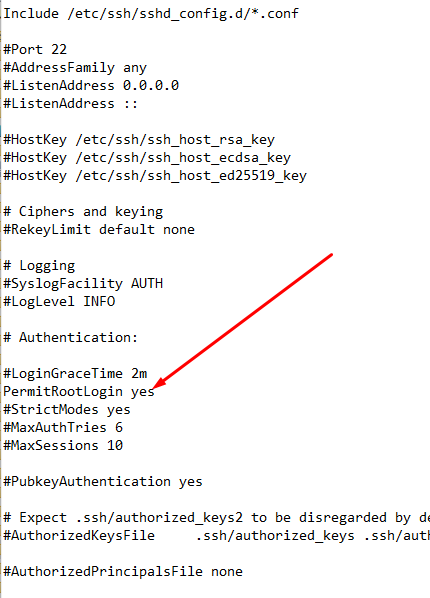
You will need to un-comment the line and
make it look just like the line the red arrow points to.
Save and exit.
To make the magic work, I had to change the root password first then reboot, even if it’s the same password. That’s what worked for me. On your ASL3 node Linux prompt:
$sudo passwd root
$sudo reboot
A reboot will have restarted SSH, no need to do it again.
Now try to log in SSH using PuTTY or KiTTY using root and your password.
WINSCP won’t work until SSH does.
If your SSH client successfully logs in root, then try WINSCP.
Let me know if you have any issues.